mirror of
https://github.com/tuxdotrs/nix-config.git
synced 2025-12-15 23:00:06 +05:30

212 lines
7.0 KiB
Markdown
212 lines
7.0 KiB
Markdown
<h3 align="center">
|
|
tux's nix flake
|
|
</h3>
|
|
<p align="center">
|
|
<a href="https://wakatime.com/badge/user/012e8da9-99fe-4600-891b-bd9d8dce73d9/project/312e6509-0e4f-47b7-b5de-54985b546702" target="_blank"><img alt="home" src="https://wakatime.com/badge/user/012e8da9-99fe-4600-891b-bd9d8dce73d9/project/312e6509-0e4f-47b7-b5de-54985b546702.svg"></a>
|
|
<a href="https://builtwithnix.org" target="_blank"><img alt="home" src="https://img.shields.io/static/v1?logo=nixos&logoColor=white&label=&message=Built%20with%20Nix&color=41439a"></a>
|
|
<a href="https://github.com/zemmsoares/awesome-rices" target="_blank"><img alt="home" src="https://raw.githubusercontent.com/zemmsoares/awesome-rices/main/assets/awesome-rice-badge.svg"></a>
|
|
<img alt="GitHub repo size" src="https://img.shields.io/github/repo-size/tuxdotrs/nix-config">
|
|
<img alt="GitHub commit activity" src="https://img.shields.io/github/commit-activity/m/tuxdotrs/nix-config">
|
|
</p>
|
|
<p align="center">
|
|
<img src="https://github.com/user-attachments/assets/fc28c35f-b87a-4931-ae7f-c231a11fd1a3" alt="desktop">
|
|
</p>
|
|
|
|
## Table of Contents
|
|
|
|
- [Hosts](#hosts)
|
|
- [Installation](#installation)
|
|
- [Components](#components)
|
|
- [Showcase](#showcase)
|
|
- [Pain](#spent-weeks-on-this-system-configuration-)
|
|
|
|
## Hosts
|
|
|
|
| | Hostname | Board | CPU | RAM | GPU | Purpose |
|
|
| --- | ---------- | ----------------- | ------------------ | ----- | ------------------------- | -------------------------------------------------------------------------------- |
|
|
| 🖥️ | `sirius` | MSI X570-A Pro | Ryzen 7 5700X3D | 64GB | RTX 3080 TI + RTX 3060 TI | Triple-monitor desktop running Windows Subsystem for Linux. |
|
|
| 💻 | `canopus` | Asus Zephyrus G15 | Ryzen 9 5900HS | 16GB | RTX 3060 | Optimized for productivity on the go and some gaming. |
|
|
| ☁️ | `homelab` | Minisforum MS-A1 | Ryzen 7 8700G | 32GB | Radeon 780M | WIP |
|
|
| ☁️ | `arcturus` | KVM | 4 Core | 8GB | | Primary server responsible for exposing my homelab applications to the internet. |
|
|
| ☁️ | `alpha` | KVM | 4 Core | 4GB | | Monitors uptime and health status of all services across the infrastructure. |
|
|
| 🥔 | `vega` | Raspberry Pi 3B+ | Cortex A53 | 1GB | | Running AdGuard Home for network-wide ad blocking. |
|
|
| 📱 | `capella` | Samsung S25 Ultra | Snapdragon 8 Elite | 12GB | Adreno 830 | Primary mobile for daily usage. (Locked) |
|
|
| 📱 | `rigel` | Motorola Edge 30 | Snapdragon 778G+ | 8GB | Adreno 642L | Secondary mobile for some fun. (Rooted) |
|
|
| ☁️ | `node` | ASRock B565D4 | Ryzen 9 5950X | 128GB | | Running Ethereum and BSC nodes. |
|
|
|
|
## Installation
|
|
|
|
> [!NOTE]
|
|
> This will get your base system ready, but keep in mind that many things might not work correctly — such as monitor resolution, font size, and more.
|
|
|
|
### Prerequisites
|
|
|
|
Boot into the NixOS bootable USB before proceeding with the installation steps.
|
|
|
|
### Installation Steps
|
|
|
|
#### 1. Clone the repository
|
|
|
|
```bash
|
|
git clone https://github.com/tuxdotrs/nix-config.git
|
|
cd nix-config
|
|
```
|
|
|
|
#### 2. Gain root privileges
|
|
|
|
```bash
|
|
sudo su
|
|
|
|
```
|
|
|
|
#### 3. Set up disk partitioning
|
|
|
|
Install the required tools:
|
|
|
|
```bash
|
|
nix-shell -p disko neovim
|
|
```
|
|
|
|
Partition your disk using disko. **This will wipe your drive.** Replace `DISK_PATH` with your actual disk path (e.g., `/dev/vda` or `/dev/nvme0n1`):
|
|
|
|
```bash
|
|
disko --mode disko ./hosts/canopus/disko.nix --arg device '"DISK_PATH"'
|
|
```
|
|
|
|
#### 4. Configure your disk
|
|
|
|
Edit the configuration file:
|
|
|
|
```bash
|
|
nvim ./hosts/canopus/default.nix
|
|
```
|
|
|
|
In the imports statement, replace:
|
|
|
|
```nix
|
|
(import ./disko.nix {device = "/dev/nvme0n1";})
|
|
```
|
|
|
|
with:
|
|
|
|
```nix
|
|
(import ./disko.nix {device = "DISK_PATH";})
|
|
```
|
|
|
|
Make sure to replace `DISK_PATH` with your actual disk path.
|
|
|
|
#### 5. Generate hardware configuration
|
|
|
|
```bash
|
|
nixos-generate-config --no-filesystems --root /mnt
|
|
```
|
|
|
|
Copy the generated hardware configuration to the repository:
|
|
|
|
```bash
|
|
cp /mnt/etc/nixos/hardware-configuration.nix ./hosts/canopus/hardware.nix
|
|
```
|
|
|
|
#### 6. Install NixOS
|
|
|
|
```bash
|
|
nixos-install --root /mnt --flake .#canopus
|
|
```
|
|
|
|
#### 7. Enter into the new system
|
|
|
|
```bash
|
|
nixos-enter --root /mnt
|
|
```
|
|
|
|
#### 8. Set up directories and permissions
|
|
|
|
```bash
|
|
mkdir -p /persist/home
|
|
chown -R tux:users /persist/home
|
|
```
|
|
|
|
#### 9. Set passwords
|
|
|
|
Set the root password:
|
|
|
|
```bash
|
|
passwd root
|
|
```
|
|
|
|
Set the user password:
|
|
|
|
```bash
|
|
passwd tux
|
|
```
|
|
|
|
#### 10. Reboot
|
|
|
|
```bash
|
|
reboot
|
|
```
|
|
|
|
Your NixOS system should now boot into a beautiful DE.
|
|
|
|
## Components
|
|
|
|
| | Wayland | Xorg |
|
|
| ------------- | -------- | ---------------- |
|
|
| DM | ly | ly |
|
|
| WM/DE | Hyprland | AwesomeWM |
|
|
| Compositor | Hyprland | Picom (Jonaburg) |
|
|
| Bar | tPanel | Wibar |
|
|
| Hotkeys | Hyprland | Awful |
|
|
| Launcher | tPanel | Rofi |
|
|
| Notifications | tPanel | Naughty |
|
|
| Terminal | Wezterm | Wezterm |
|
|
| Editor | Neovim | Neovim |
|
|
|
|
## Showcase
|
|
|
|
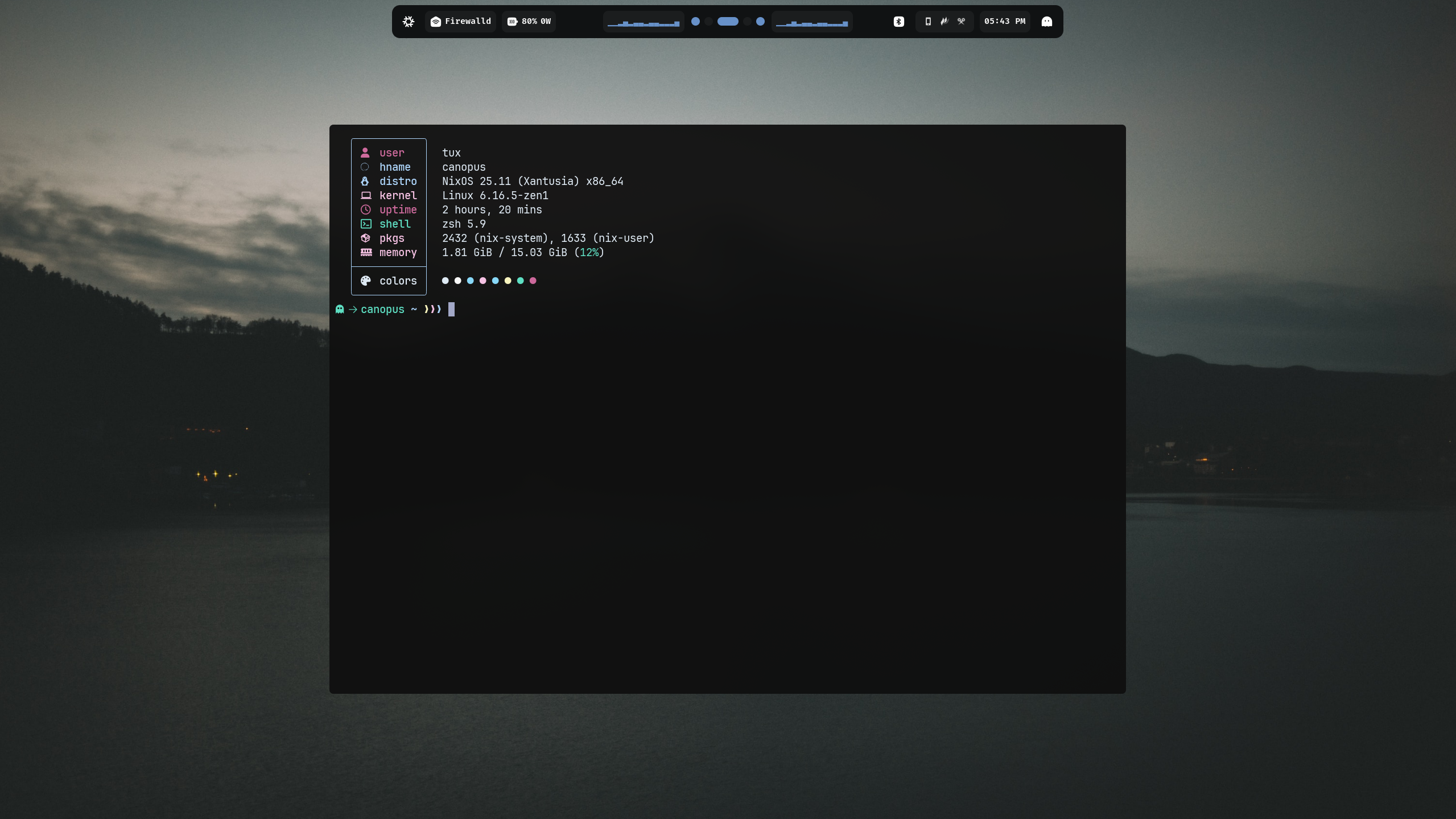
### Desktop Hyprland
|
|
|
|
|
|
|
|
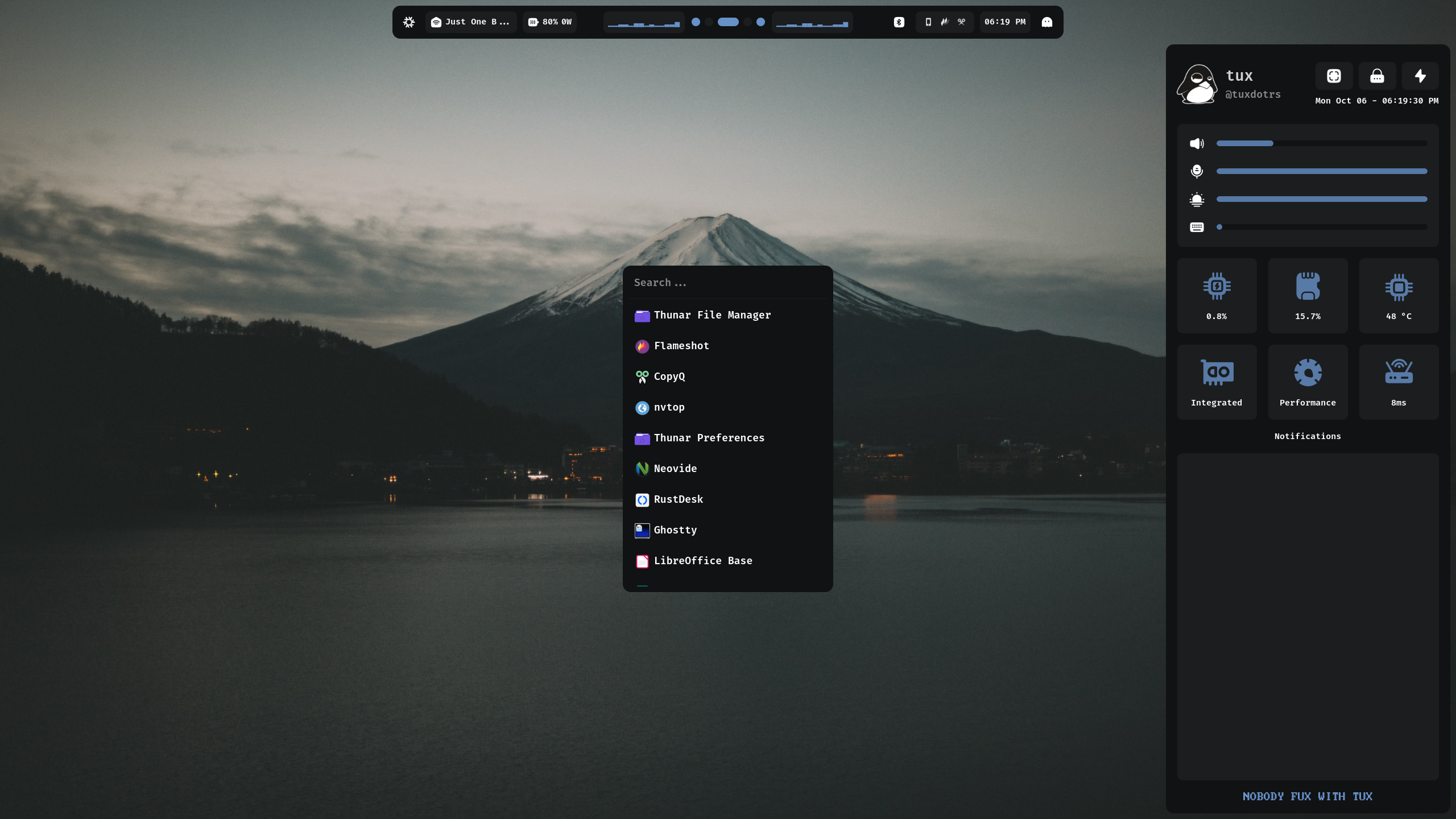
### tPanel
|
|
|
|
|
|
|
|
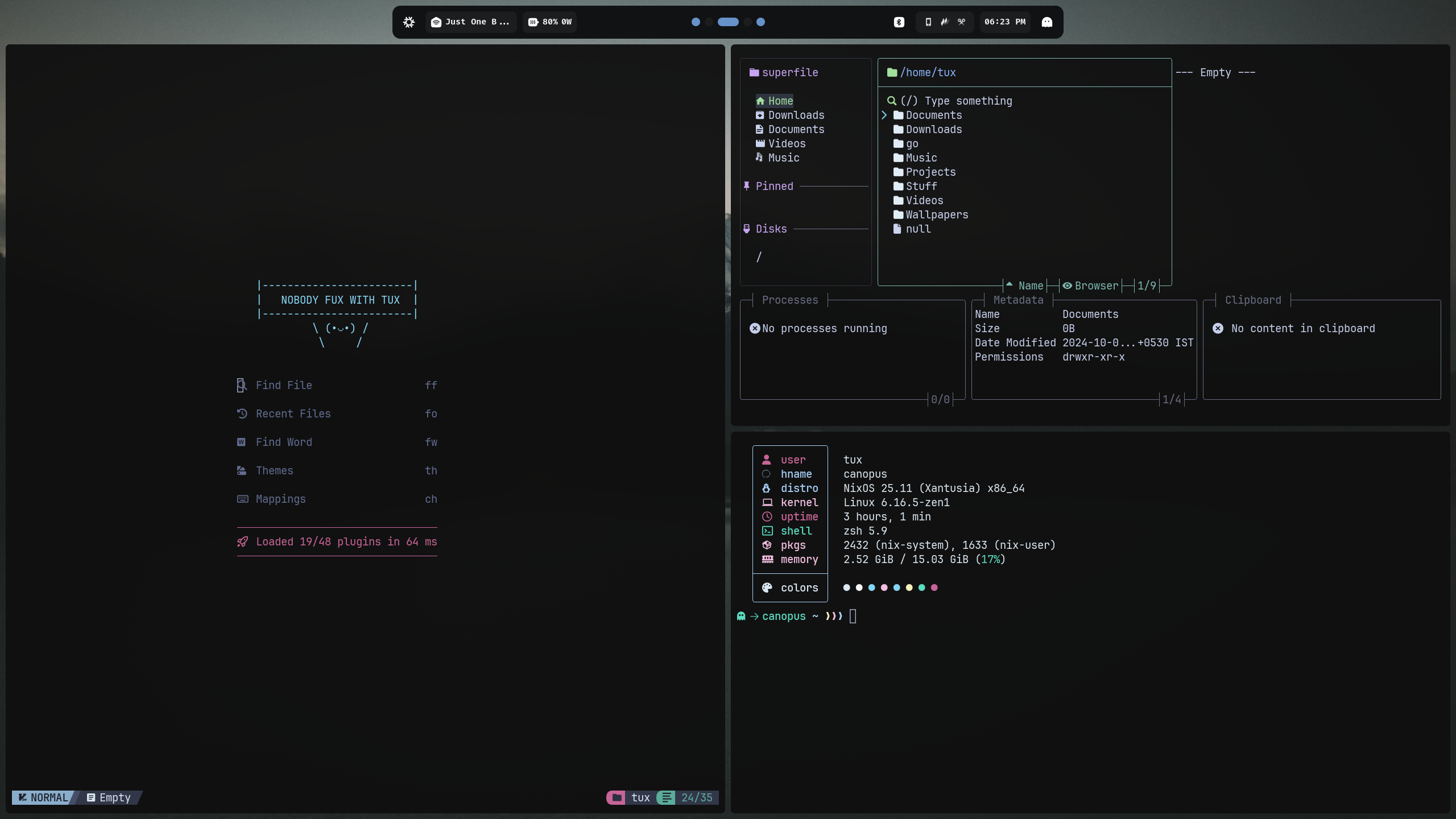
### Workflow
|
|
|
|
|
|
|
|
## Showcase
|
|
|
|
### Desktop AwesomeWM
|
|
|
|

|
|
|
|

|
|
|
|
### Neovim
|
|
|
|

|
|
|
|
### Floating Terminal
|
|
|
|

|
|
|
|
### Lazygit
|
|
|
|

|
|
|
|
### Telescope
|
|
|
|

|
|
|
|
### Firefox
|
|
|
|

|
|
|
|
## Spent weeks on this system configuration 😢
|
|
|
|
<div align="center">
|
|
<img src="https://user-images.githubusercontent.com/97862450/265550523-2f66a8b6-4347-40af-89c6-12db3a61cc7c.jpeg" width="60%">
|
|
</div>
|